Tool · Studio 48
Studio 48: building a recording studio you can open on a Mac
Studio 48 is a Mac app for recording and mixing, built around a vintage-style console. How it went from a sketch to a signed app in ten days.
 No. 02
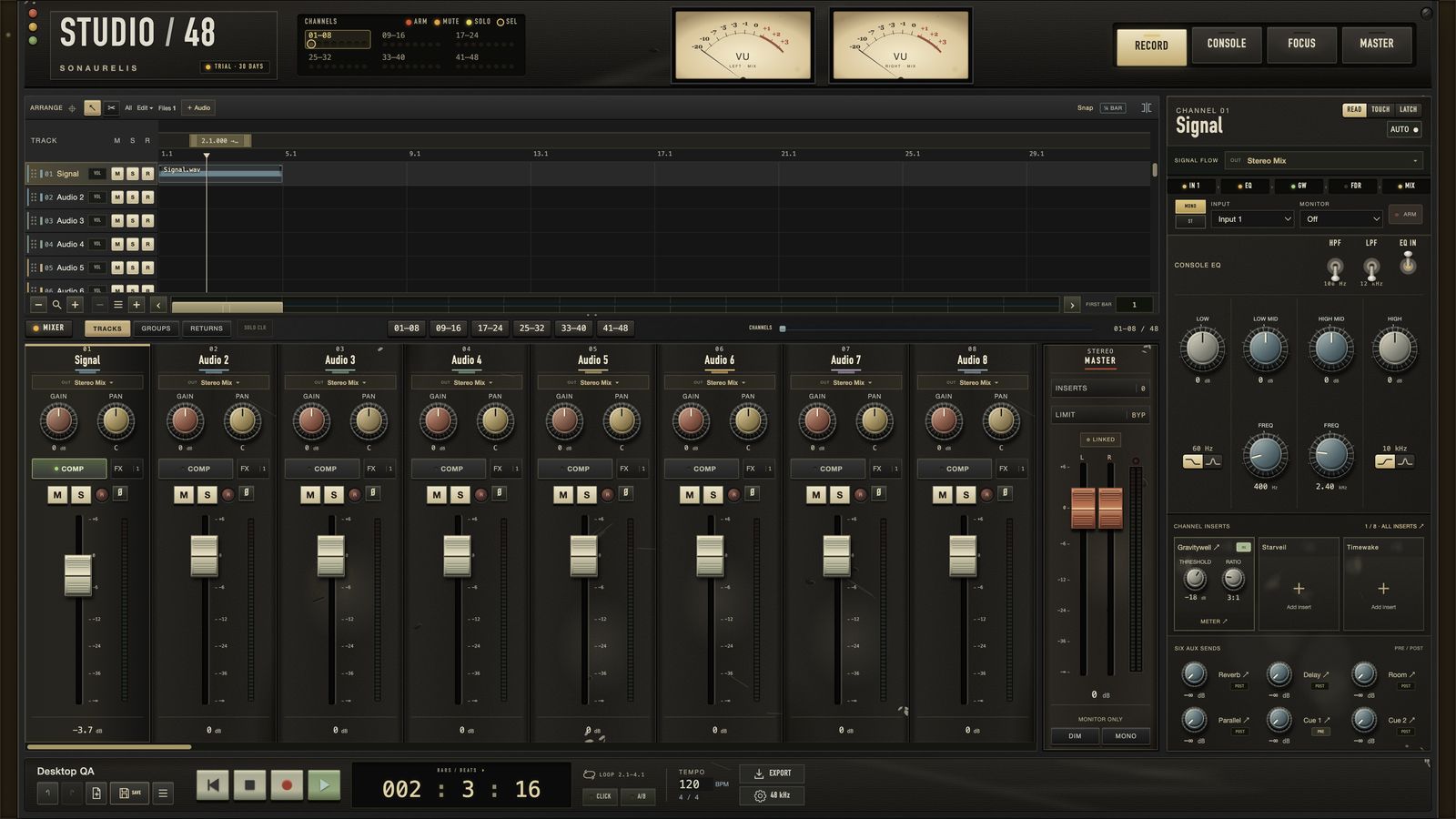
Most recording software opens on a wall of options. We wanted the opposite: open a session and arrive at the desk. Record a performance, shape it through the channels, ride the faders, print a mix. That's Studio 48, a recording and mixing app for the Mac from Sonaurelis, the studio's line of audio tools.
The goal we kept coming back to was that the whole thing should feel as cohesive and approachable as a single plugin. The simple controls are up front, the deeper stuff is one step away, and we want it to sound good as soon as audio goes through it.
What it is
Studio 48 is an audio workstation built around a console. It's for recording and mixing audio. There's no MIDI and no piano roll, on purpose. Here's what's in it today:
- 48 audio tracks, 4 stereo groups, 4 shared returns and 6 aux sends.
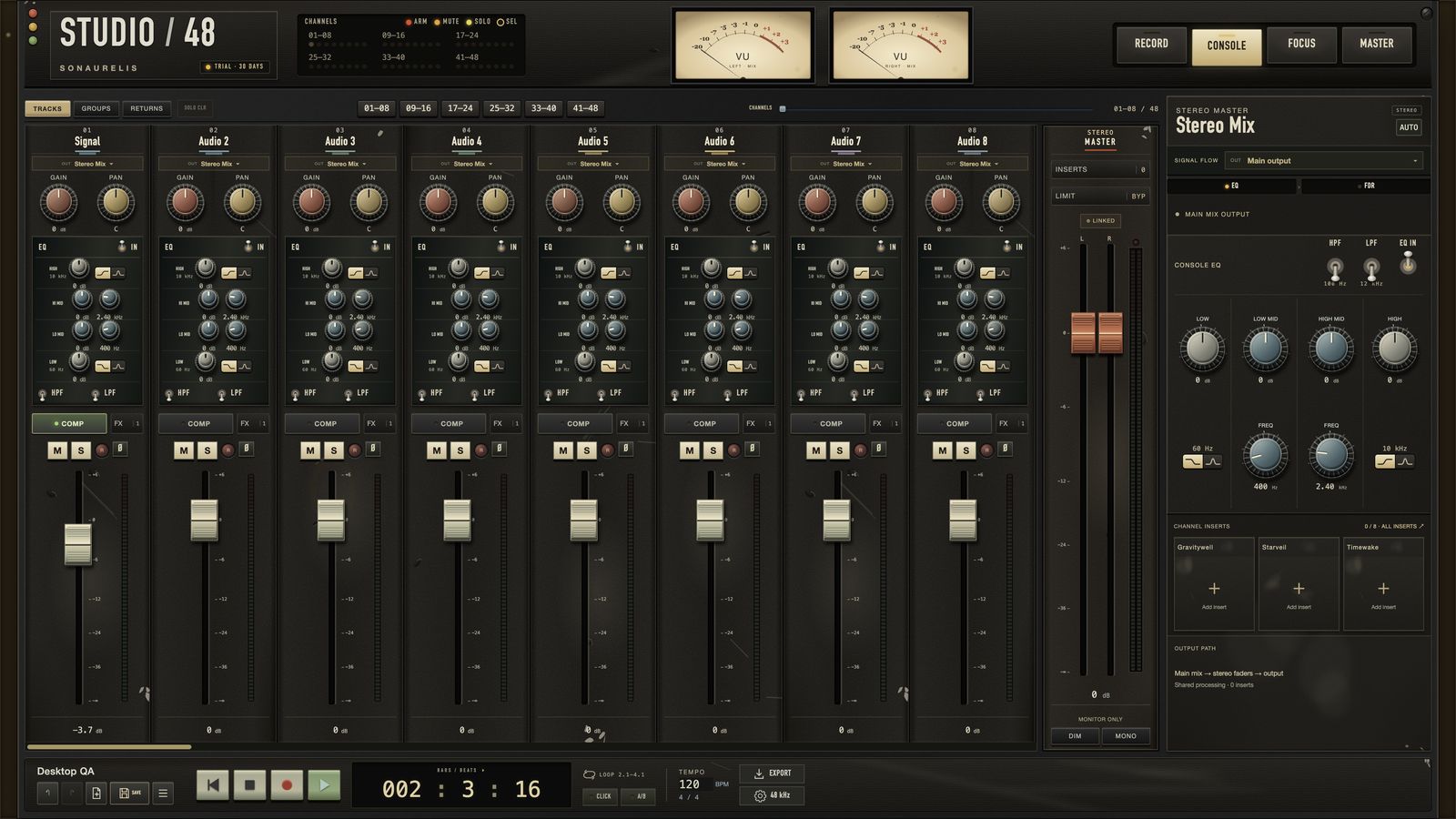
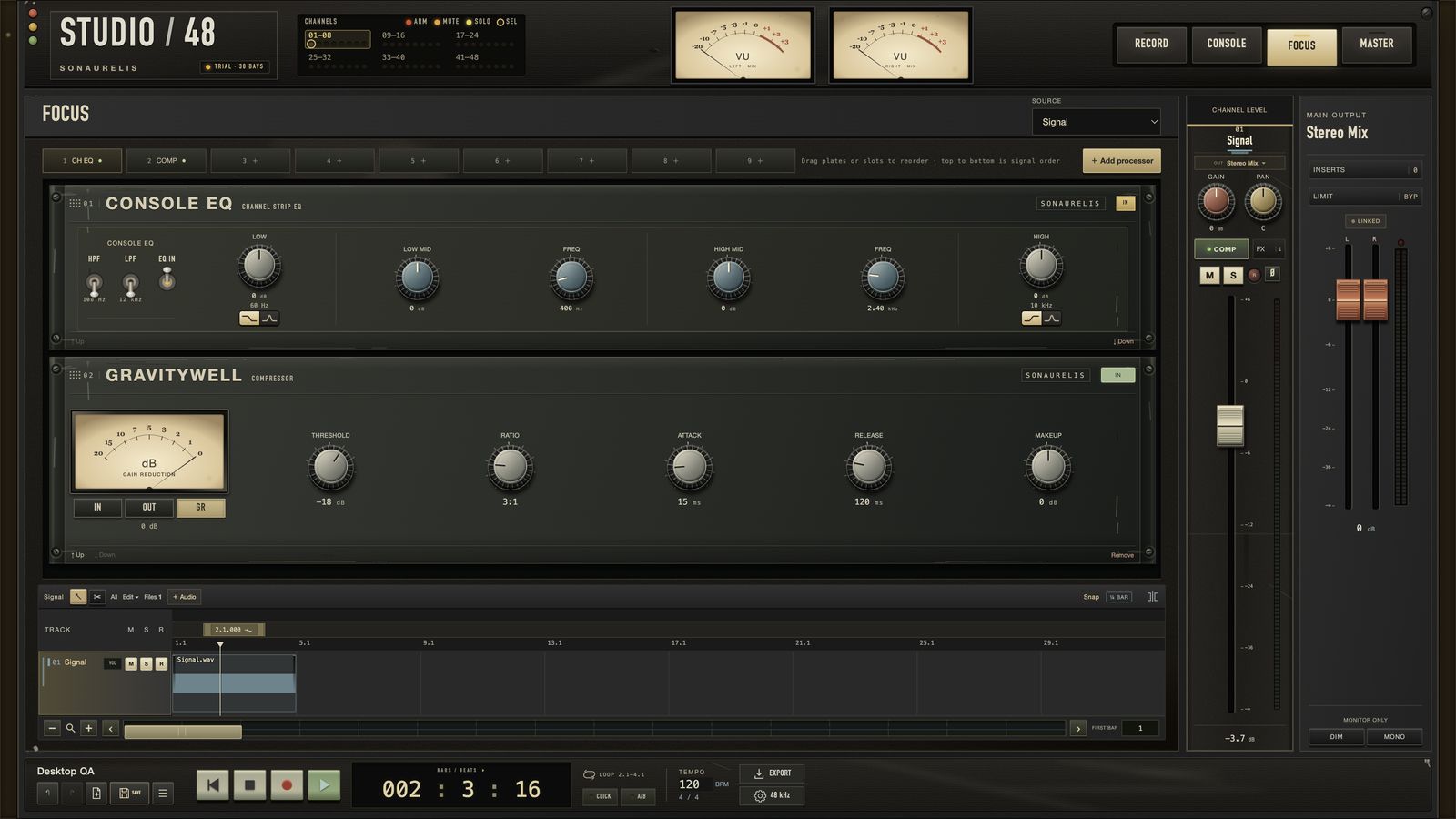
- A channel strip on every track: gain, pan, high and low cut, a four-band EQ you can move anywhere in the chain, polarity, and analog-style VU meters and OVER lamps.
- Three Sonaurelis effects built in: the Gravitywell compressor, Starveil reverb and Timewake delay.
- Editing and recording basics done carefully: non-destructive clips, crossfades, fader automation, undo, checkpoints, and recovery if a take gets interrupted.
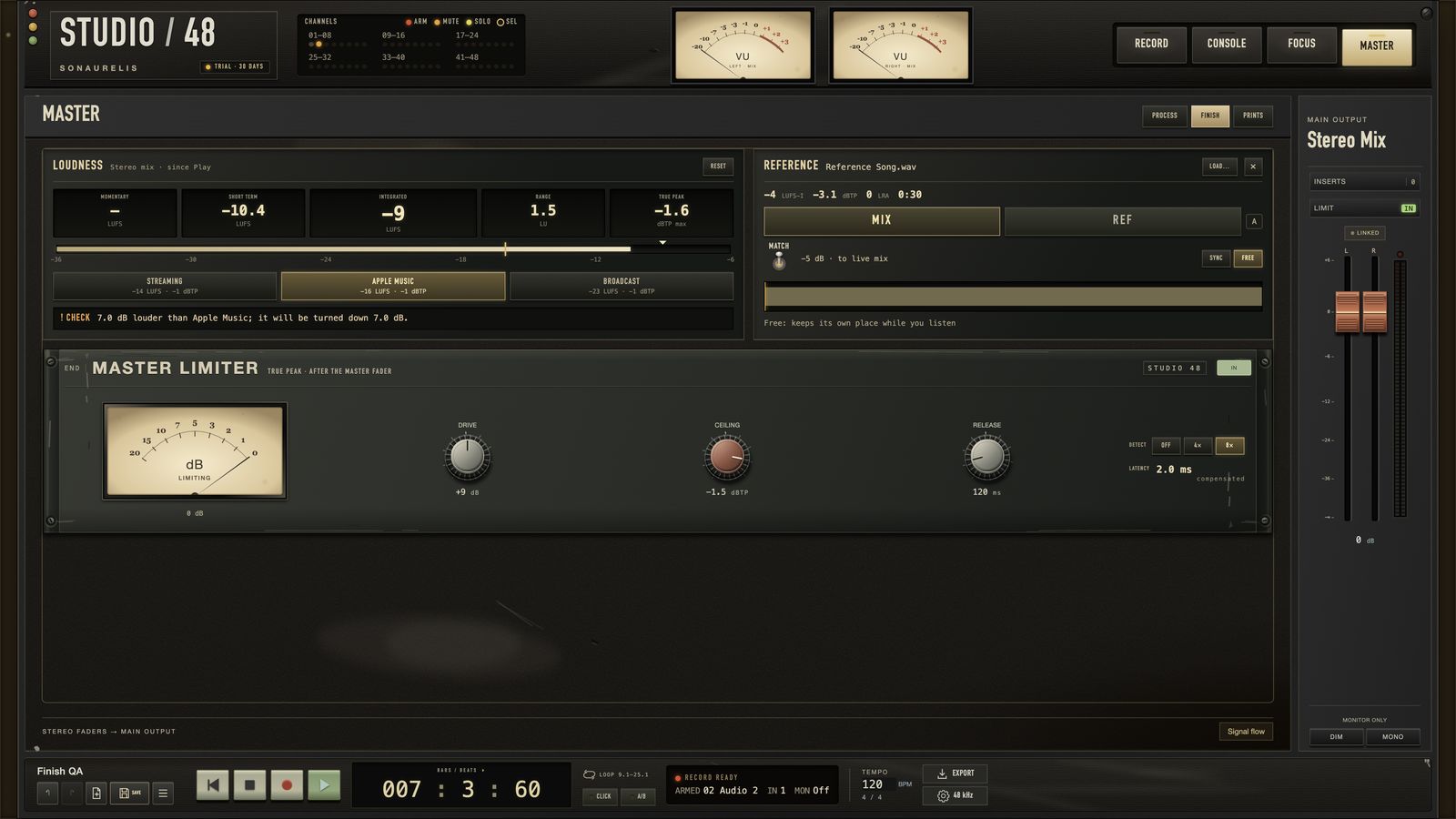
- A Finish page with a true-peak limiter, loudness metering, targets for streaming, Apple Music and broadcast, and a level-matched A/B against a reference track.
- No telemetry. The app doesn't phone home.
Behind the scenes
It started as a picture
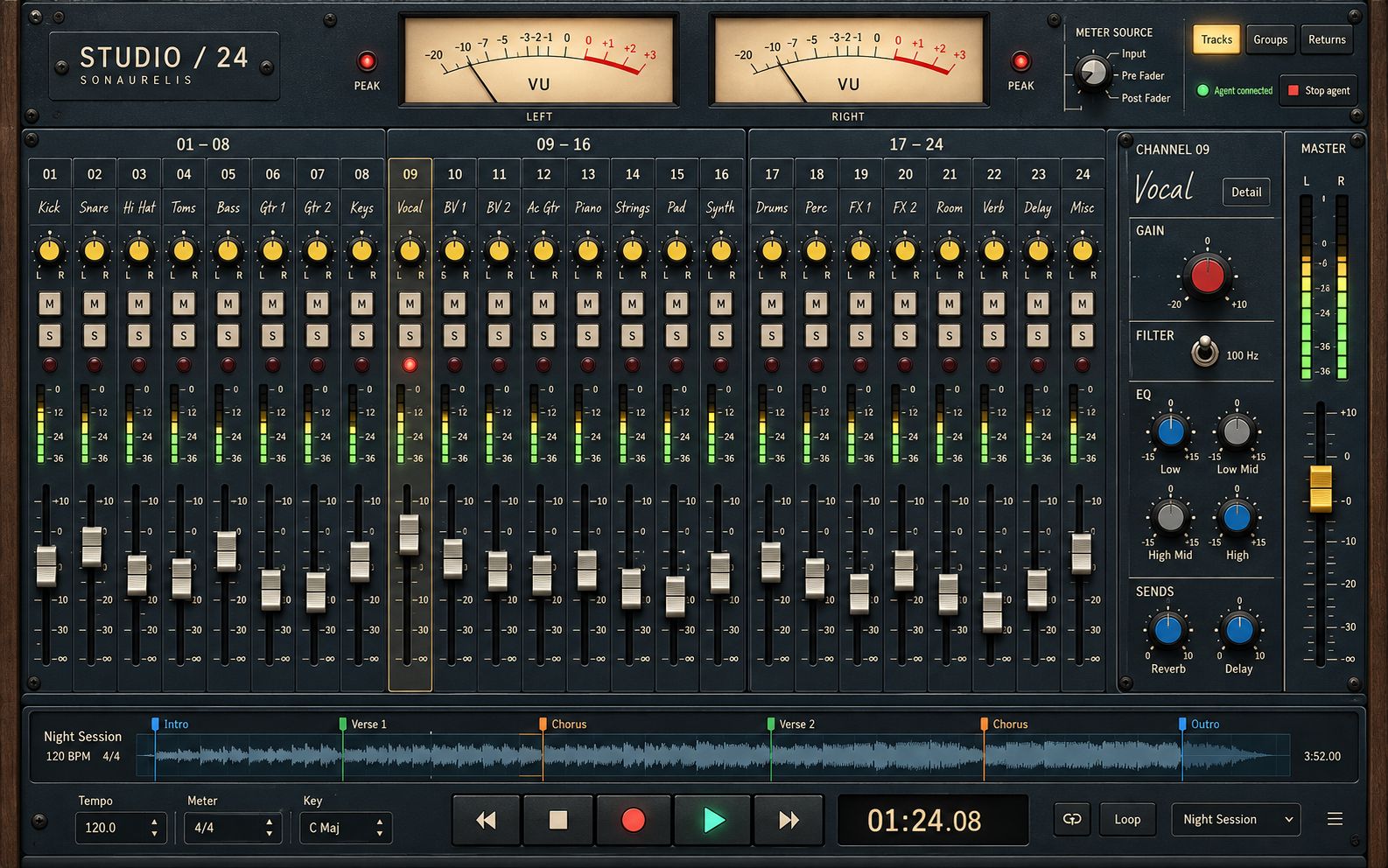
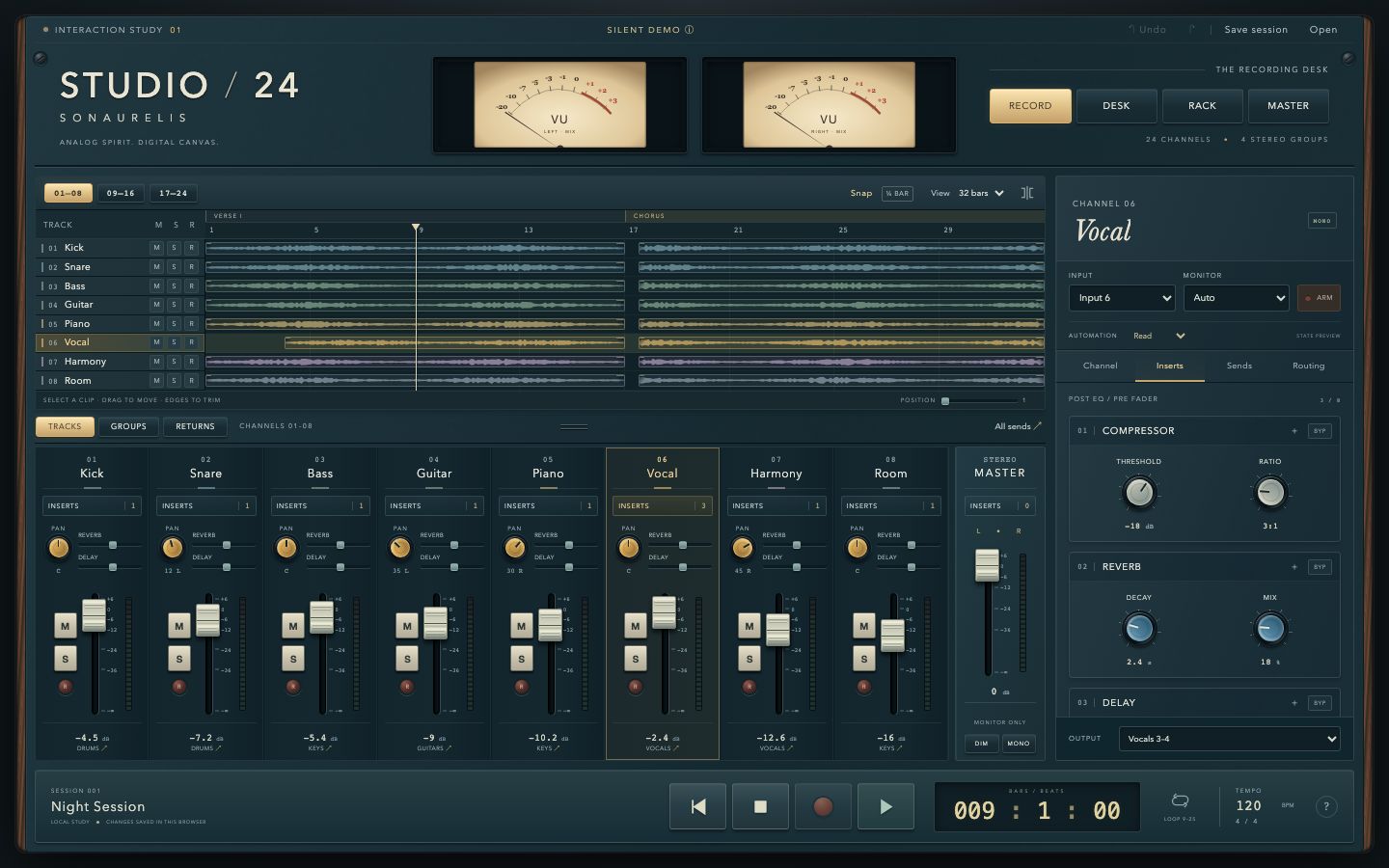
Studio 48 began on 21 September 2026 as a short proposal with a working title, "Studio / 24": a focused 24-track workstation whose main instrument is a console inspired by classic analog mixing desks. Before writing any code we made a handful of concept images to find the look. The one that stuck was a dark vintage desk with VU meters, toggles and a wood frame.
Then a silent prototype
The same day, it became a working prototype in the browser. It made no sound at all. It was there to answer one question: does the layout feel good to use? You could select tracks, move clips, push faders and switch views, and nothing else.
Then a real app
By the next day it was a native Mac app with real audio and a new name: Studio 48. The audio engine is written in C++ and runs on CoreAudio. Its most important rule is that the audio thread never waits on anything: no memory allocation, no locks, no file reads, so playback doesn't stutter when the interface is busy.
We also made a rule that what you hear while mixing has to match what you export. We check it by playing a session out of the app, recording it straight back in, and comparing it against the exported file. They cancel each other out almost completely.
Making it feel like a desk
Two days in, the console got its weathered finish: chips and dents, wood cheeks with brass screws, aged ivory fader caps. Each lamp color means exactly one thing. Later builds focused on feel, like making faders respond faster under your hand.
Finishing a mix
Version 0.10 added the Finish page. The master limiter is new code, written for Studio 48, and its loudness meter was checked against the standard EBU test signals. Press A and you hear your mix against a reference track at matched loudness, which is a really honest way to judge a mix.
Shipping it
Studio 48 ships signed with a Developer ID and notarized by Apple, so it opens on a Mac without warnings. Every release goes through a full set of automated checks, including a full run of desktop journeys against the exact signed app that people download, because signing can change how an app behaves.
The first public build went out on 28 September, a week after that first proposal. Version 0.10 followed on 30 September.
What it isn't yet
Studio 48 is an engineering alpha, and we'd rather be clear about that. It doesn't host third-party plugins yet. There's no MIDI, no time-stretch and no take comping, and it's Mac only (Apple Silicon). The sound has been measured carefully, but measurements aren't the same as ears, so we're listening closely to how people find it.
The screenshots here come from the current beta build, which is why you'll see a trial lamp in the corner.
If you make music on a Mac, give it a session and tell us what you think. There's a Send feedback button in the app that drafts an email to us.